This browser, on this device
Your caseload saves automatically to the browser you're using. It stays on that computer, doesn't sync anywhere on its own, and is erased if you clear the browser's site data.
Your district decides which tools may hold student records. REDAssist is built to make that decision simple: it runs in your browser, saves to your device, and never sends student information to a FarPoint server. Google backups are optional, and they go to your own account.
REDAssist data can be in three places. The first is automatic. The other two happen only when you choose them.
Your caseload saves automatically to the browser you're using. It stays on that computer, doesn't sync anywhere on its own, and is erased if you clear the browser's site data.
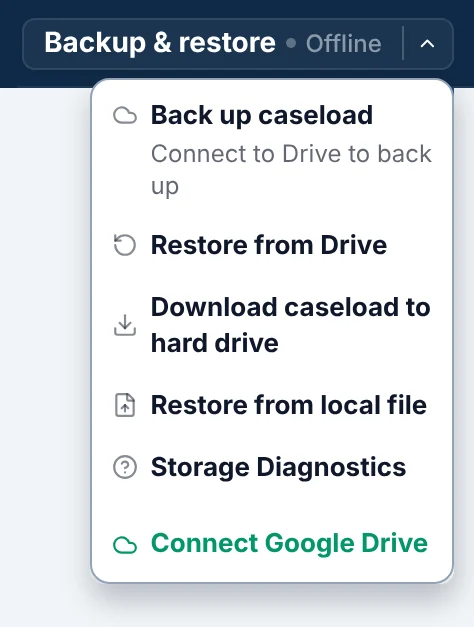
Download a backup whenever you like. It's a .json file, and you decide where it's stored. Restore it on any computer, no account needed.
Connect only if you want to. Automatic backups go to a hidden app folder in your Drive, and contact-log entries sync to a Google Sheet there. Docs and Gmail drafts are created in your account only when you click those buttons.
Privacy means little if the work itself can vanish. These safeguards keep your caseload where you put it, and keep it intact.
Once it's open, REDAssist runs with no internet connection, and no Google account is required.
Every change saves to your device automatically. No save button, nothing to remember.
Each caseload keeps a rolling copy, an hourly copy, and a four-hour copy, plus up to three manual backups. They update when you open a caseload, every ten minutes, and when you close the tab.
Each caseload has its own storage and its own backups. Nothing in one can overwrite another.
Every session starts at the caseload picker. Nothing loads until you pick it.
A restore asks first, then keeps a snapshot of your current work. Undo restore brings it back until your next edit.
If saving to the device ever fails, a banner stays on screen with a one-click download of your current work.
If stored data can't be read, REDAssist stops, keeps the original intact, and walks you through restoring from a backup.
A second tab opens read-only, so two windows can't overwrite each other.
The Google connection lives in memory and ends when you refresh or close the page. No sign-in token is saved on the device.
It's a plain-text file that holds your whole caseload, plus your action items, in an organized format that REDAssist can read back in. Any computer can open it; no account is needed.
Because it's plain text, it isn't encrypted. Treat it like any other student record: keep it where your district allows, don't email it, and leave student names out of the file name.
Schools may share personally identifiable information from education records without parent consent only under specific exceptions. The one that covers most technology is the school official exception: an outside party can count as a school official if it performs a service the school would otherwise use its own employees for, is under the school's direct control for the use and maintenance of the records, and follows FERPA's limits on reusing and redisclosing them.
Sources: 34 CFR § 99.31(a)(1) · 34 CFR § 99.33(a)
Each agency must protect the confidentiality of personally identifiable information when it is collected, stored, disclosed, and destroyed. One official is responsible for it, everyone who collects or uses it must be trained, and the agency keeps a list of the employees who may access it.
Source: 34 CFR § 300.623, Safeguards
The U.S. Department of Education's Privacy Technical Assistance Center (PTAC) publishes guidance on using cloud computing while meeting FERPA's privacy and security requirements.
Source: PTAC, Cloud Computing FAQ
If you connect Google, use the account your district approves for student records. That is usually your district-managed Google Workspace account, not a personal Gmail. District-managed accounts generally come with the district's agreement with Google; personal accounts don't.
Many states add their own student privacy laws, and districts set their own rules for devices, storage, and approved software. Those apply on top of the federal rules.
This page explains how REDAssist handles data. It isn't legal advice. For a specific situation, check with your district's privacy officer or legal counsel. Last reviewed October 2026.
I'm happy to walk your team or your privacy officer through how REDAssist handles data.